
Demo mode
a read-only console with labelled samples.
Show prospects the console without giving them your data. Demo mode starts a read-only console with three sample businesses. Use it only on a separate demo host.
01The live demo
| What | Value |
|---|---|
| Console | https://answerbell-demo.mikodes.com/admin |
demo@answerbell.example | |
| Password | answerbell-demo-viewer |
| Documentation | https://answerbell-demo.mikodes.com/docs/ |
The demo signs in with the viewer role: every page and setting is visible, nothing can be changed.
02What it shows
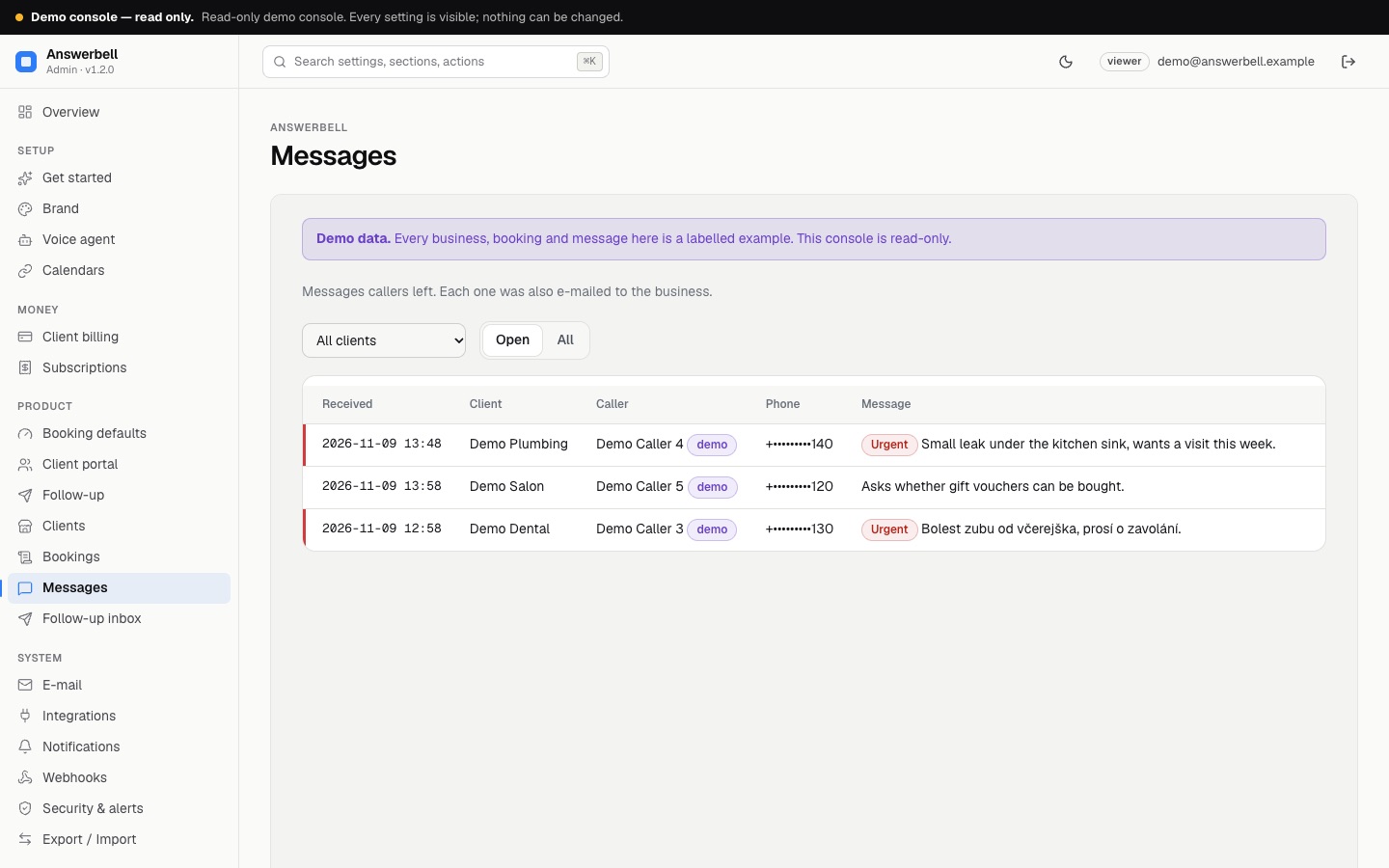
DEMO_MODE=1 with ADMIN_DEMO_PASSWORD set seeds three businesses named Demo Salon, Demo Dental and Demo Plumbing, a few bookings and messages from "Demo Caller" names, +421 000 000 0xx numbers that cannot be dialled and @example.com addresses. Every product page carries a Demo data banner. There are no calls, invoices or revenue: those pages and figures show their empty state or zero.
03Run it
Set the variables in .env instead of on the command line, or run the line in WSL / Git Bash.
pnpm build
DEMO_MODE=1 ADMIN_DEMO_PASSWORD=choose-a-demo-password ANSWERBELL_WORKERS=0 pnpm start
The console signs in as demo@answerbell.example (change it with ADMIN_DEMO_EMAIL) with the viewer role. The sign-in page shows the demo login. ADMIN_DEMO_NOTICE replaces the banner text.
04What is refused
Every change in the console is refused (settings, clients, bookings, messages). Tool requests answer "read-only demo", the Stripe webhook ignores events and the call sync does not run.
Remove DEMO_MODE and ADMIN_DEMO_PASSWORD from your production .env. If every change says "Read-only demo", one of them is still set.